Olnira for iPhone
Write in peace.
Markdown notes that look finished as you type, encrypted on your iPhone before they reach iCloud Drive.
Coming soon to the App Store · Free · iOS 17 or later

Writing
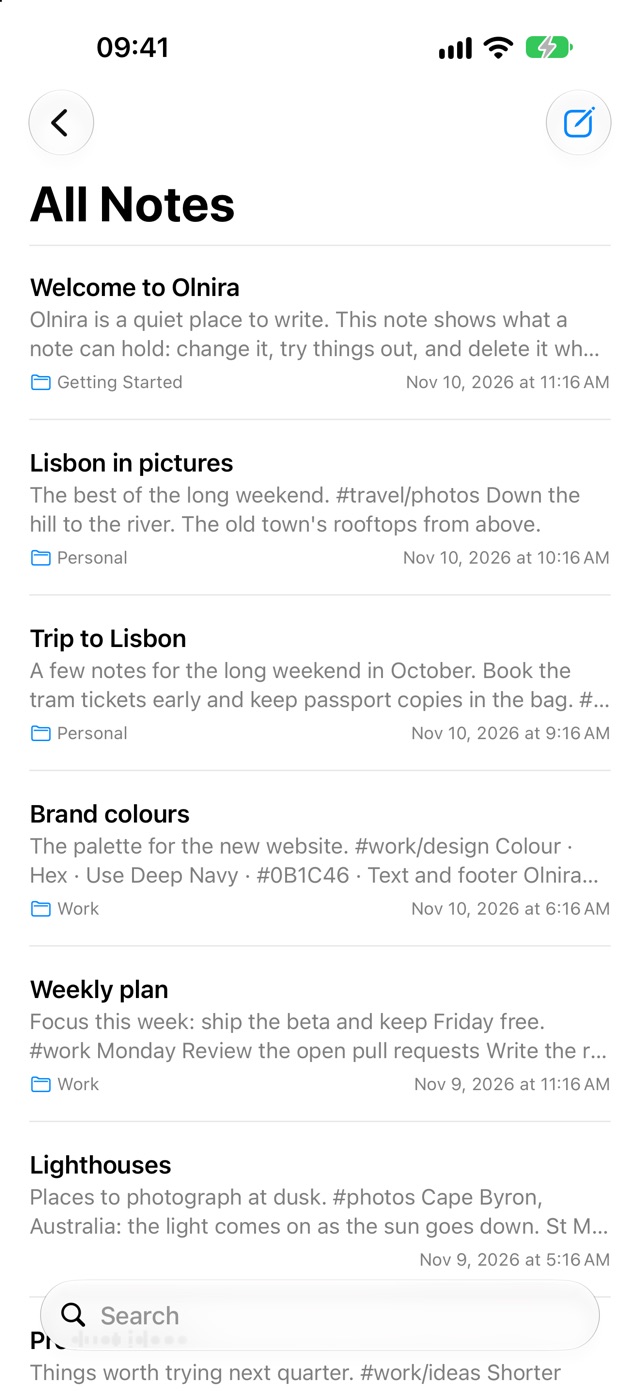
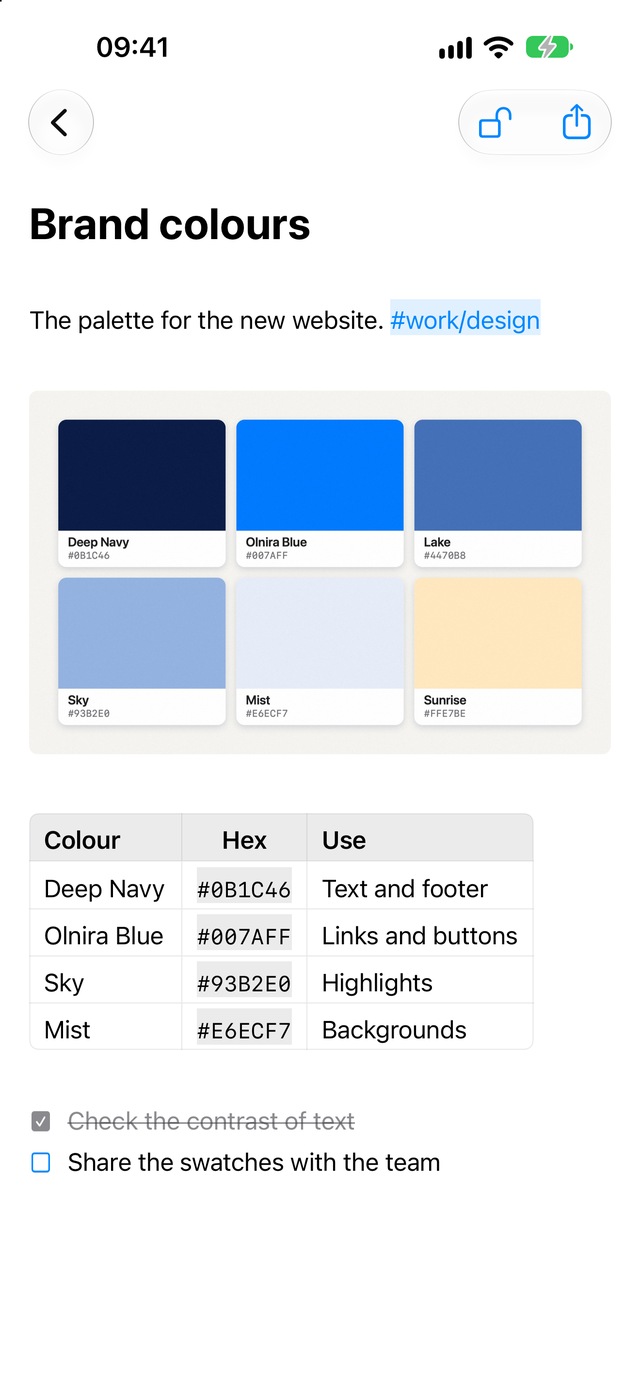
Markdown, without the marks.
Headings, lists, checklists, tables, pictures and code look like what they are. The marks show only on the line you're editing, and step aside as soon as you move on.
Everything at hand. The format bar sits just above the keyboard, with all of it a tap away.
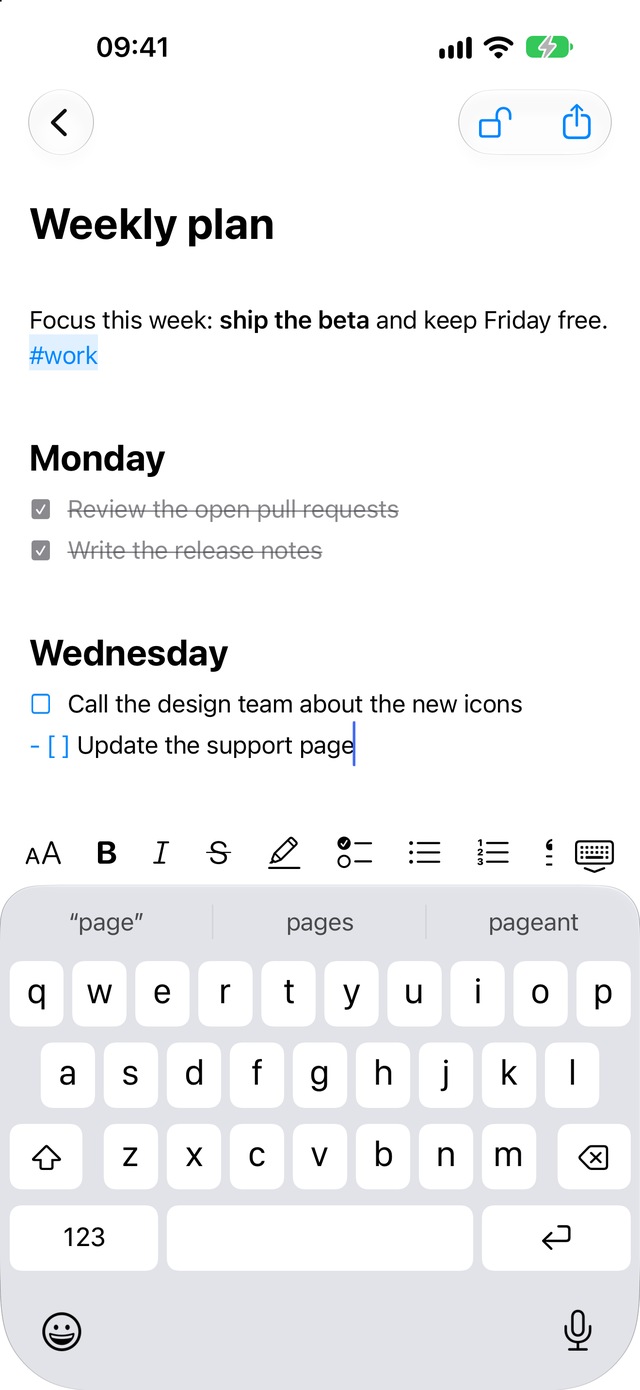
The line you're editing
Organising
Everything in its place.
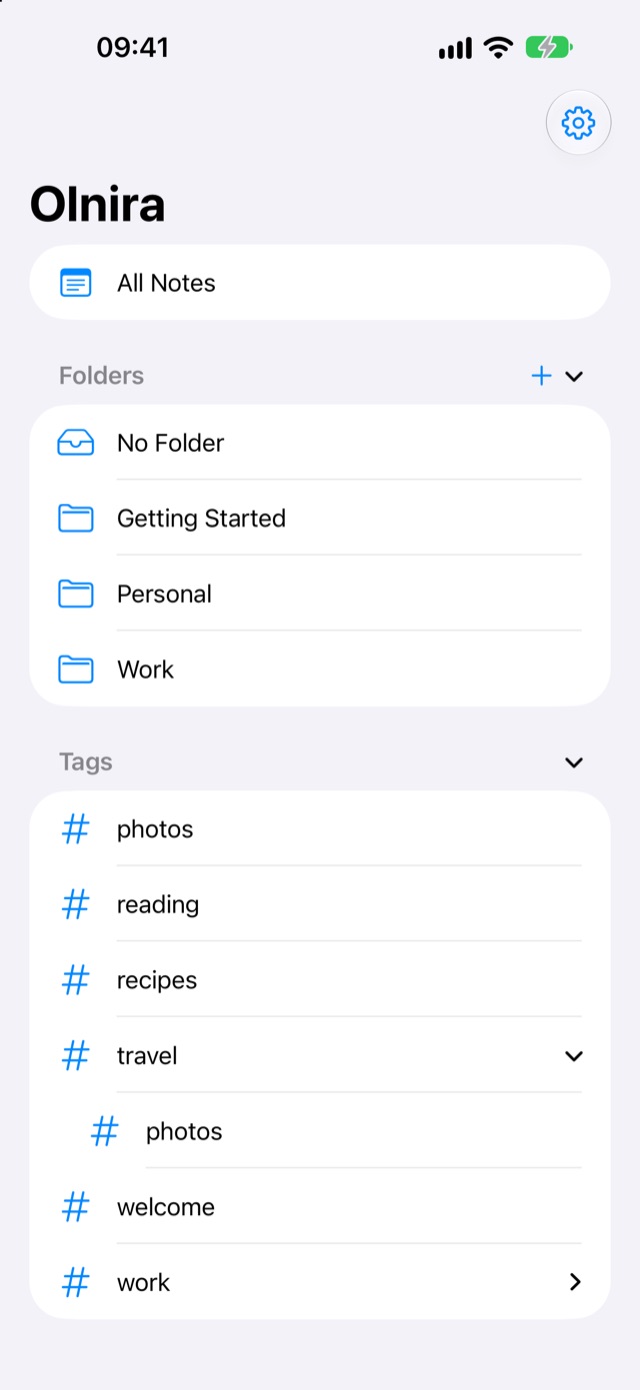
Each note lives in one folder. Tags live in the text, like #work or #projects/design, and grow into a tree.
Folders and tags, a tap away.
All your folders and the whole tree of tags, in the sidebar.
Pictures from Photos.
Pick them in the photo picker. Olnira only receives the ones you choose.

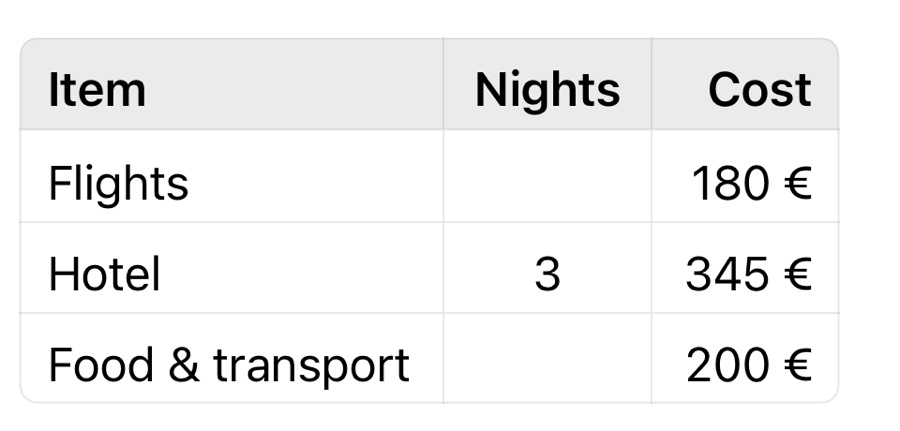
Tables that line up.
Columns align as you type.
Swipe to sort.
Swipe a note to the left to move it to a folder, or to delete it.
Hold to move.
Hold a folder or a tag until it lifts, then drag it onto another.
Days to change your mind.
Deleted notes wait in Recently Deleted.
Edits merged line by line.
Change a note on two devices at once, and nothing is silently lost.
Privacy
Encrypted before it leaves your iPhone.
Every note and picture is sealed with AES‑256 on your iPhone. iCloud Drive only ever stores ciphertext, and the key stays in your iCloud Keychain, with a recovery key in case you ever need it.
Confidential notes
Add a password to the notes that matter most, and open them with Face ID. Or lock all of Olnira.
No account
There's nothing to sign up for. Your iPhone and your iCloud are all it needs.
Nothing collected
No ads, no analytics, no tracking. Olnira doesn't know who you are.
Your notes
Take them anywhere.
They live in Olnira's folder in iCloud Drive, which the Files app shows too. Export a note as a PDF from the note itself, or every note as plain Markdown files with their pictures from Settings, whenever you like. Notes from another app come in the same way: put their Markdown files in Olnira's folder.
Olnira for iPhone
Coming soon to the App Store.